The Policy
Policy Walk-Through

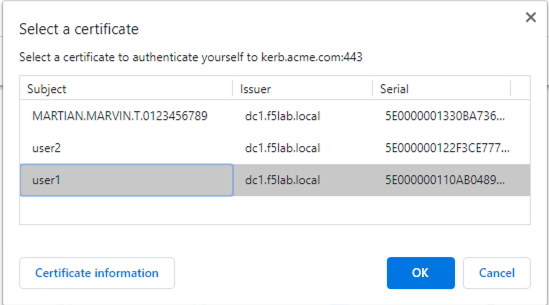
- A user is prompted to select their certificate.
- The validation of the user certificates is controlled via CA bundles selected in the Client-side SSL Profile.
- The certificate is validated by OCSP if the user presents a certificate issued by a trusted CA
- The Othername field is extracted from the certificate
- A LDAP query is performed to collect the sAMAccountName of the user
- The domain and username variables are set
- The user is granted access via the Allow Terminal
- If the LDAP Query is unsuccessful, the user proceeds down the failback branch to the Deny Terminal
- If the OCSP check is unsuccessful, the user proceeds down the failback branch to the Deny Terminal
- If the user fails to present a certificate, the user proceeds down the failback branch to the Deny Terminal
Policy Agent Configuration
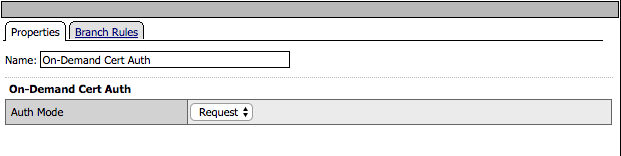
The On-Demand Cert Auth Agent uses the default settings
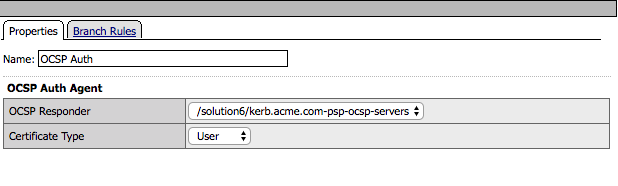
The OCSP Agent validates the certificate against the OCSP responder configured
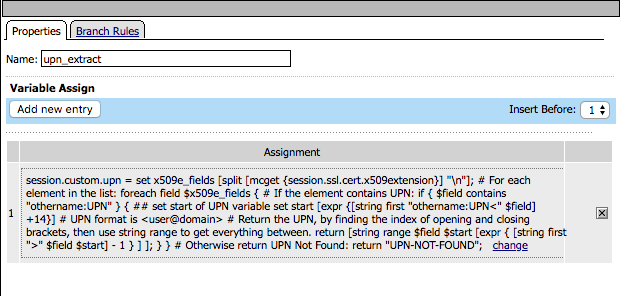
The othername field is extracted from the certificate and saved as session variable session.logon.upn
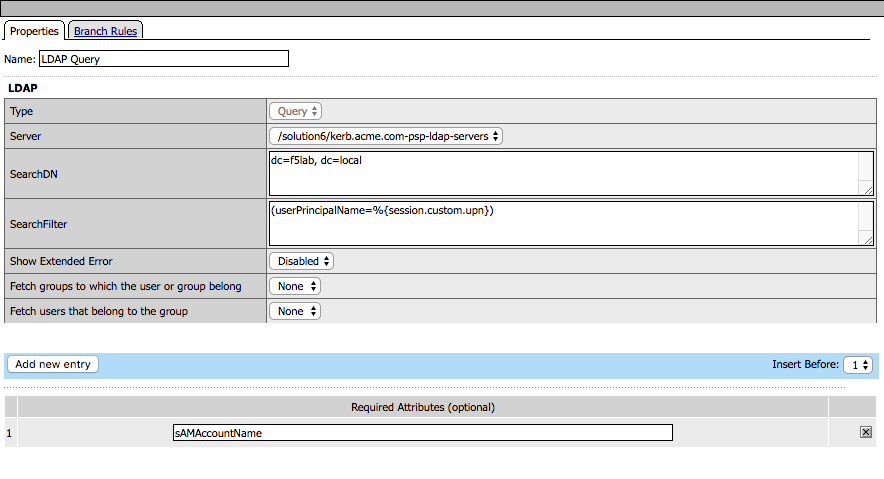
The LDAP query connects to the LDAP server to the dc=f5lab,dc=local DN for a user that contains the userPrincipalName matching the value stored in session.custom.upn
The LDAP query requests the sAMAccountName attribute if the user is found
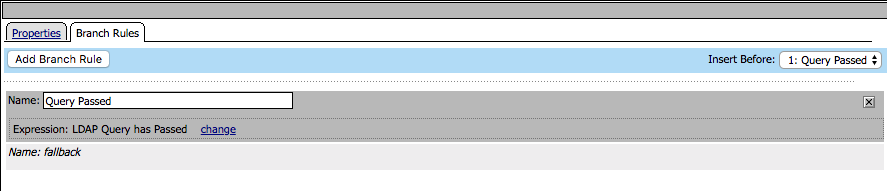
The branch rule was modified to only require a LDAP Query passed condition
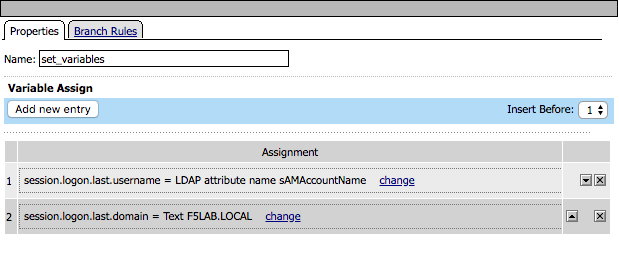
- Two session variables are set
- session.logon.last.username is populated with the value of the sAMAccountName returned in the LDAP Query
- session.logon.last.domain is populated with a static value for the Active Directory domain F5LAB.LOCAL
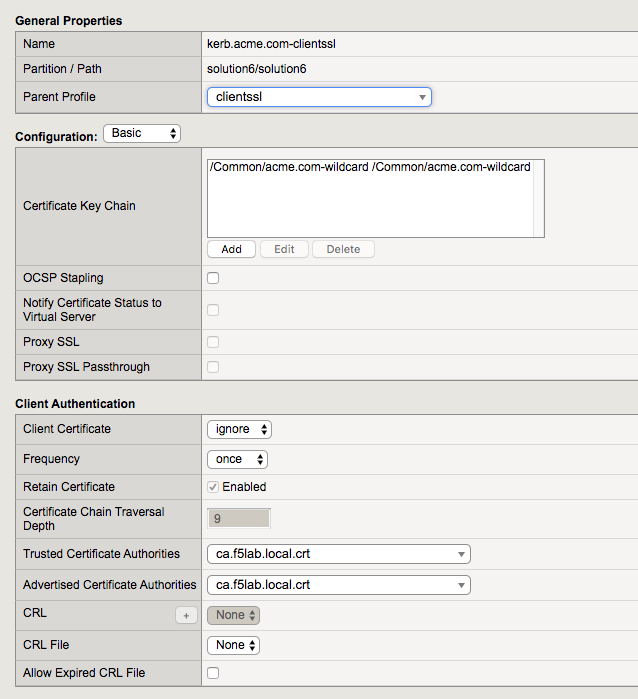
Customized LTM Profile settings
- The Client-side SSL profile Client Authentication section has been modificed to support certiciate authentication
- Trusted Certificate Authorities has been set to ca.f5lab.local.crt
- The bundle validates client certificates by these issuers
- The bundle must include all CAs in the chain
- Advertised Certificate Authorities has ben set to ca.f5lab.local.crt
- The bundle controls which certificates are displayed to a user when they are prompted to select their certificate
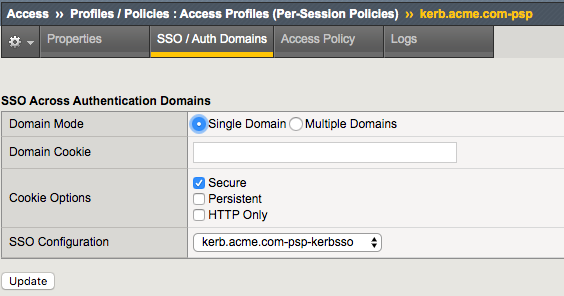
Customized APM Profile Settings
- The SSO/Auth Domains of the APM profile is configured with the Kerberos SSO Profile needed to authenticate to the server.
Supporting APM Objects
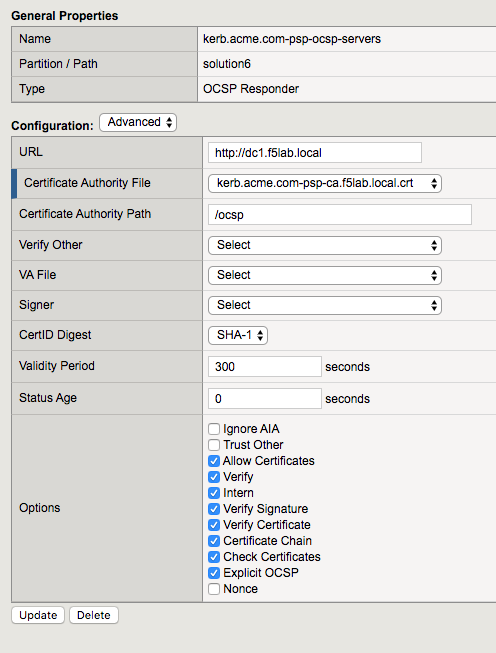
AAA OCSP Responder
The OCSP Responder has been configured with the following settings
- URL: this field is only used if you check the Ignore AIA field
- Certificate Authority File: contains the root ca bundle
- Certificate Authority Path: this field is only used if you check the Ignore AIA field
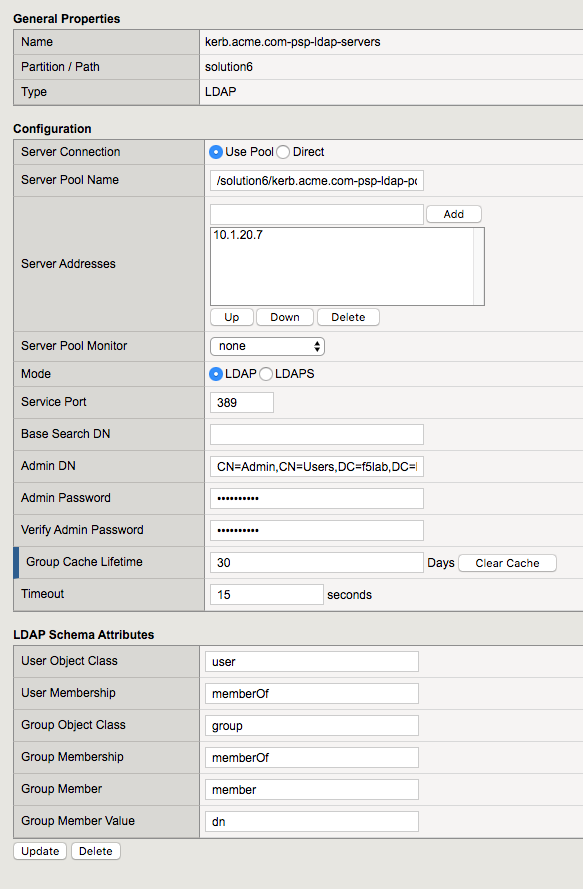
AAA LDAP Object
A single LDAP server of 10.1.20.7 has been configured with a admin service account to support queries
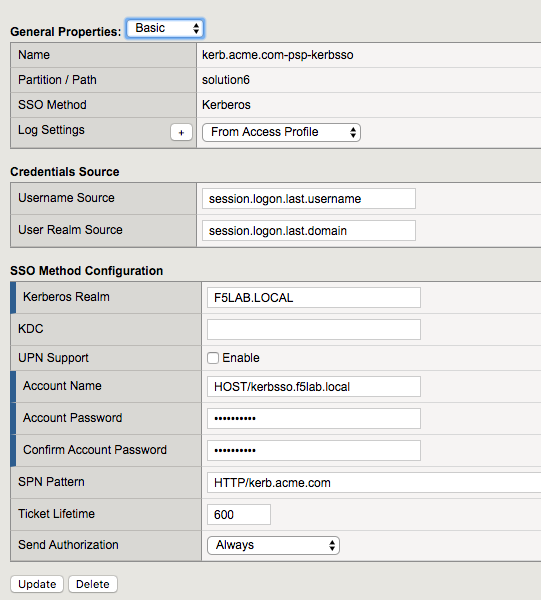
Kerberos SSO Object
- The Username Source field has been modified from the default to reference the sAMAccountName stored in session.logon.last.username
- Kerberos Realm has been set to the Active Directory domain (realms should always be in uppercase)
- The service account used for Kerberos Contrained Delegation (Service Account Names should be in SPN format)
- SPN Pattern has been hardcoded to HTTP/kerb.acme.com (This is only necessary if the SPN doesn’t match the FQDN typed in the web browser by the user)