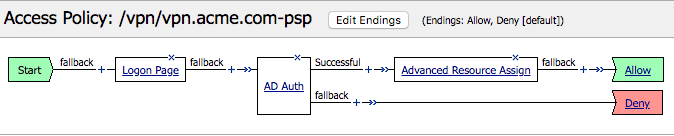
The Policy
Policy Walk-Through
- In this policy a user enters their credentials in the loogon page agent.
- Those credentials are collected, stored as the default system session variables of session.logon.last.username and session.logon.last.password.
- The user proceeds down the logon page fallback branch to the AD Auth Agent
- The AD Auth Agent validates the the username and password session variables against the configured AD Domain Controller.
- If successful, the user proceeds down the Successful Branch
- The user assigned resourced defined in the Advanced Resource Assign Agent
- The user is granted access via the Allow Terminal
- If unsuccessful, the user proceeds down the failback branch
- The user is denied access via the Deny Terminal
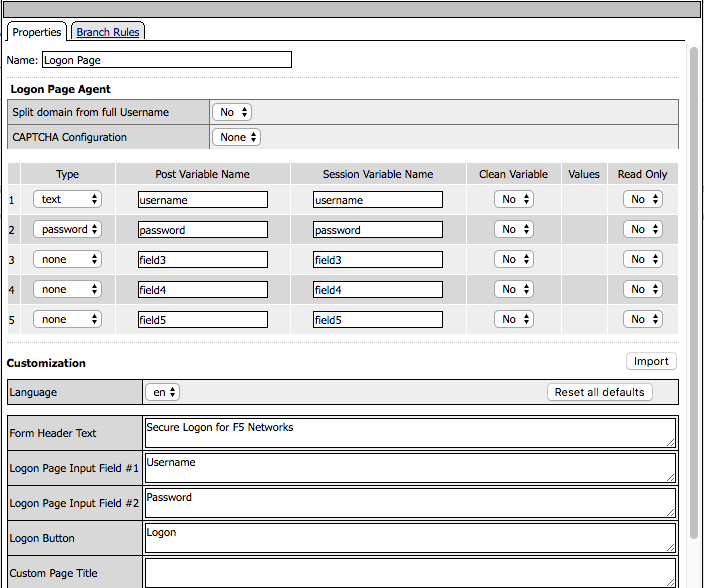
Policy Agent Configuration
The Logon Page contains only the default setting
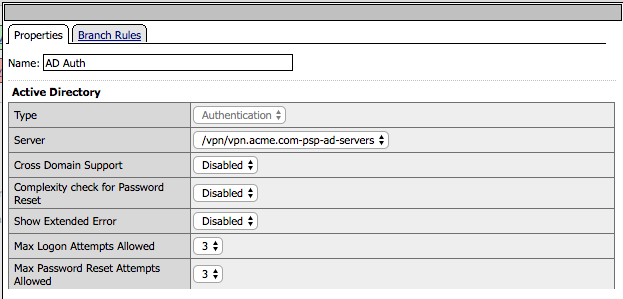
The AD Auth Agent uses a defined the AD AAA Server object that user will be authenticated against. All Setting are the default.
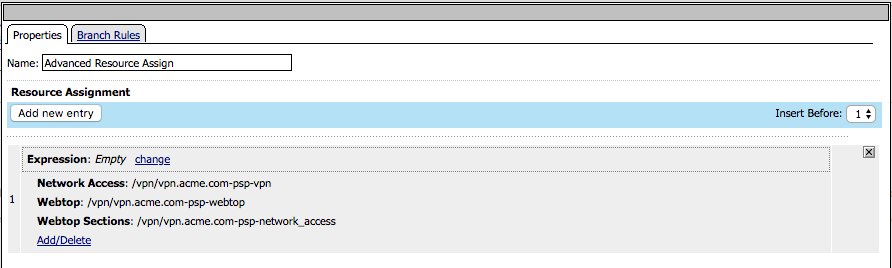
The Advanced resource Assign Agent grants a user access to assigned in the screenshot
Supporting APM Objects
Network Access Resource
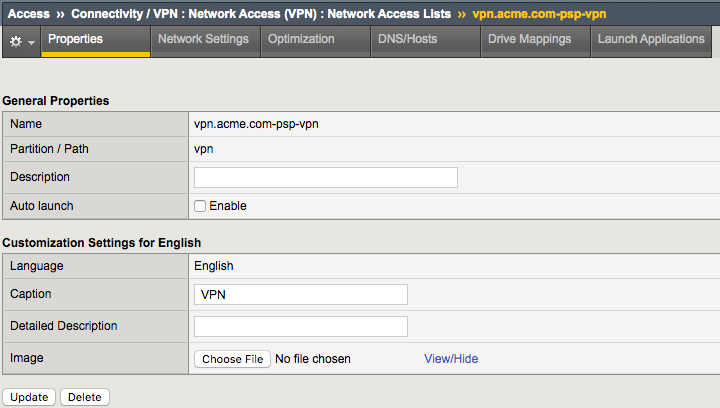
The Properties page contains the Caption name VPN. This is the name displayed to a user
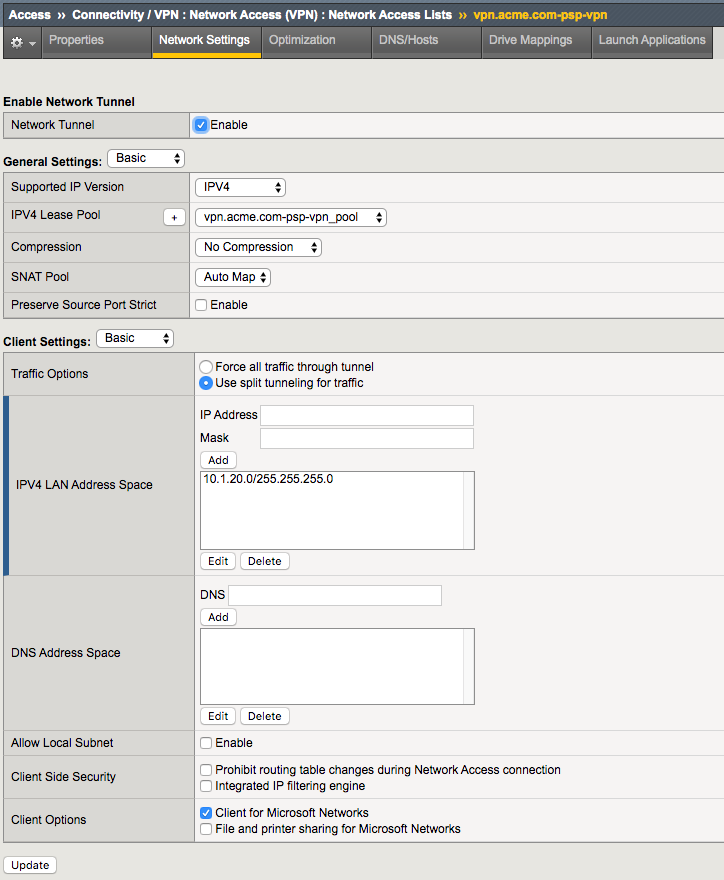
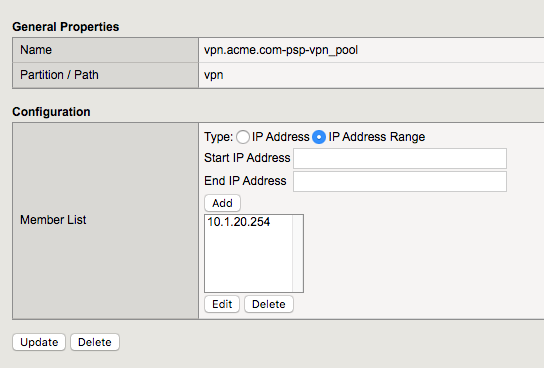
- The Network Settings tab assigns the lease pool of ip addresses that will be used for the VPN
- Split Tunneling is configured to permit only the **10.1.20.0/24 subnet range inside the VPN
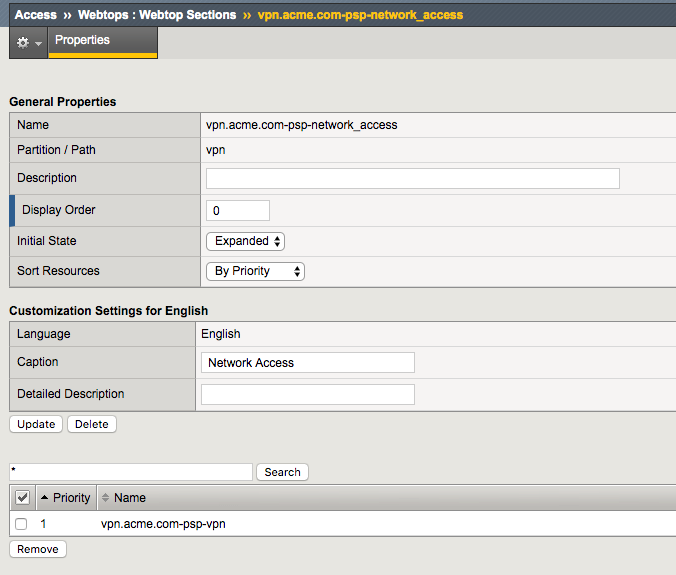
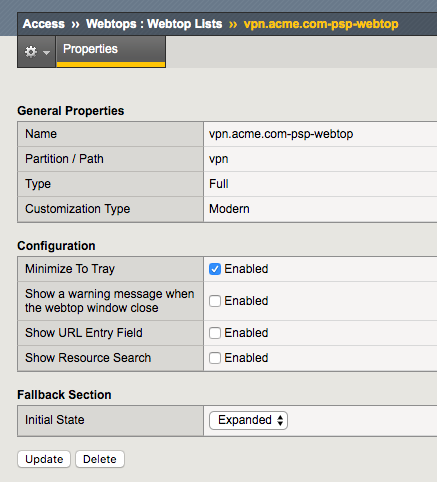
Webtop
- A Full Webtop was defined with modified default settings.
- The Minimize to Tray box was checked to ensure when a user connects to the VPN the Webtop is not displayed